myTV SUPER Web | myTV SUPER Box | myTV SUPER App | myTV SUPER Smart TV
New version at September 2026
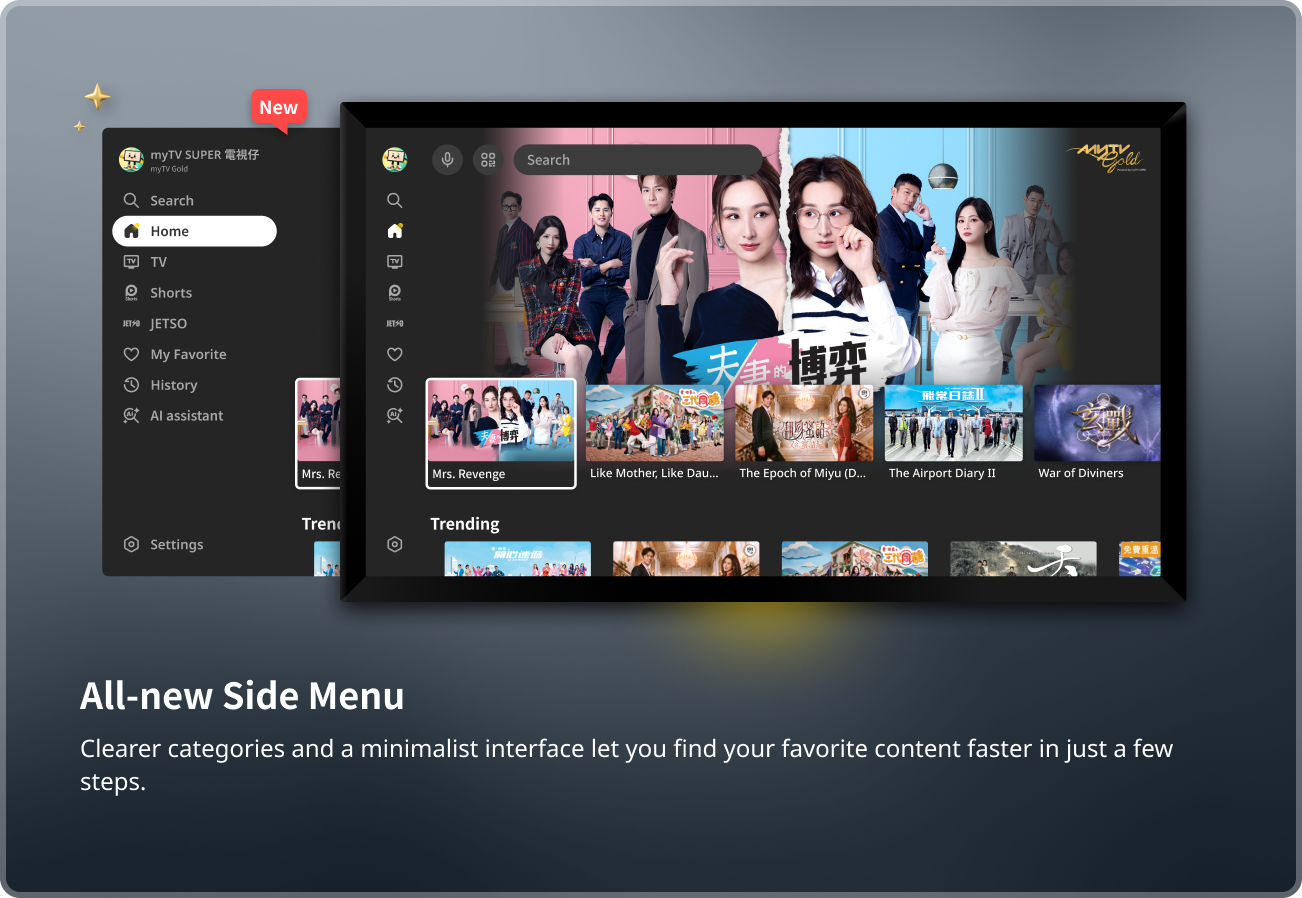
All-new Side Menu
Clearer categories and a minimalist interface let you find your favorite content faster in just a few steps.
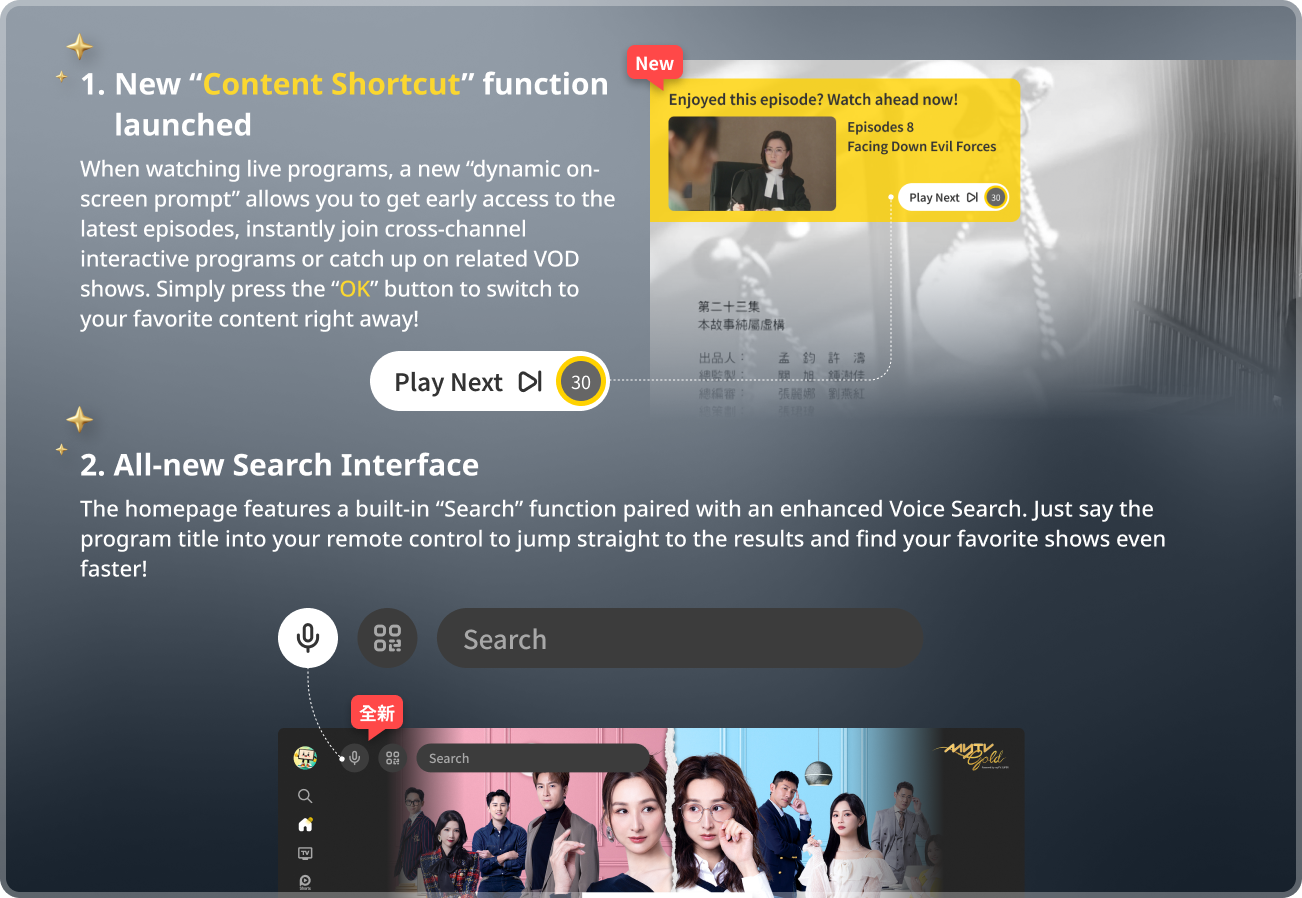
1. New “Content Shortcut” function launched
When watching live programs, a new “dynamic on-screen prompt” allows you to get early access to the latest episodes, instantly join cross-channel interactive programs or catch up on related VOD shows. Simply press the “OK” button to switch to your favorite content right away!
2. All-new Search Interface
The homepage features a built-in “Search” function paired with an enhanced Voice Search. Just say the program title into your remote control to jump straight to the results and find your favorite shows even faster!
New version at March 2025
1. New features on Time-shift in Live Channel - Comprehensive optimization of UI and functions, a bunch of playback shortcuts are added to the timeline, making it easier to reach and enjoy your favorite program.
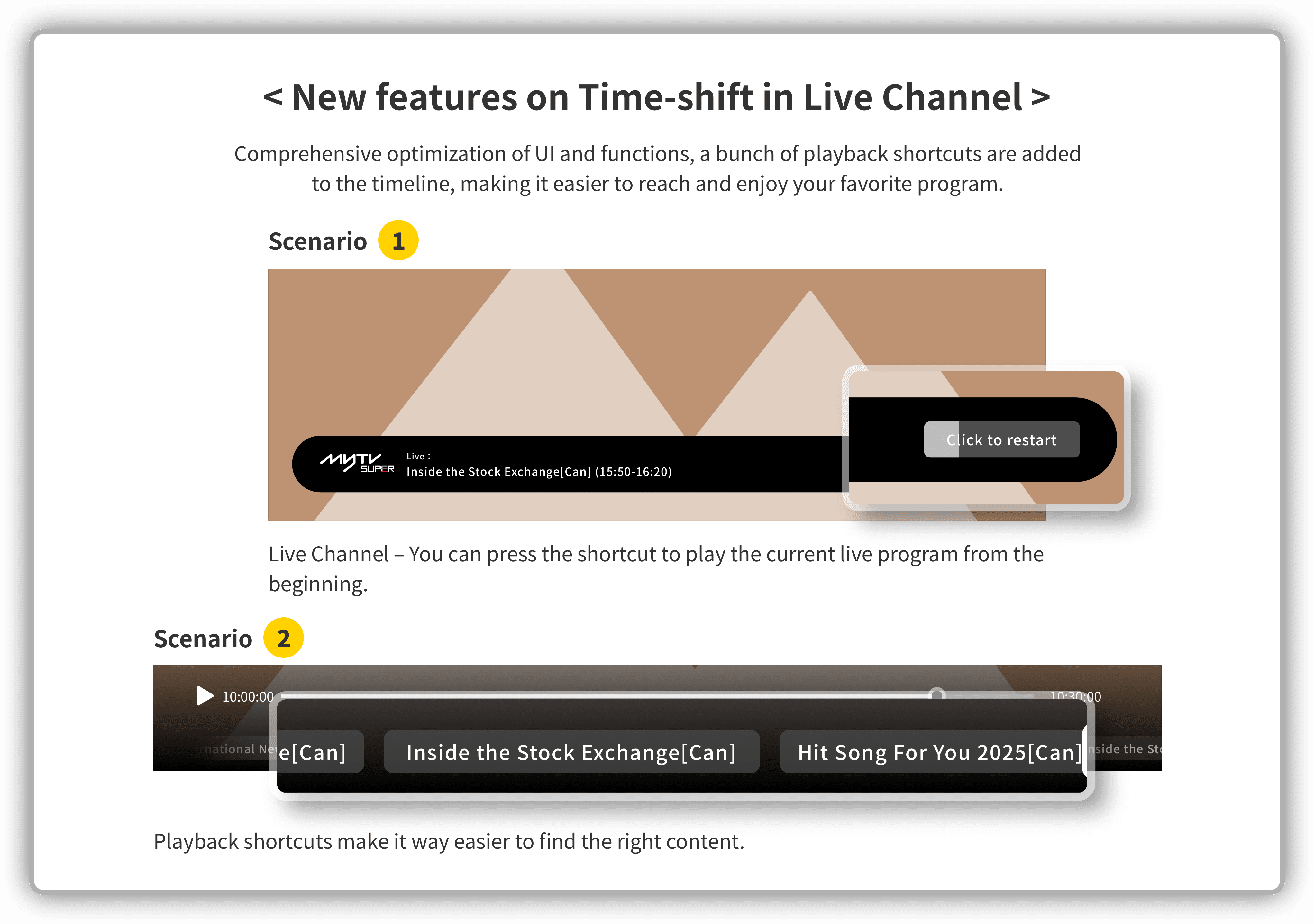
2. Scenario 1 - Live Channel – You can press the shortcut to play the current live program from the beginning.
3. Scenario 2 - Playback shortcuts make it way easier to find the right content.
4. Last viewing interface - Redirect to your last viewing interface or channel automatically, so you can pick up right where you left off easily!
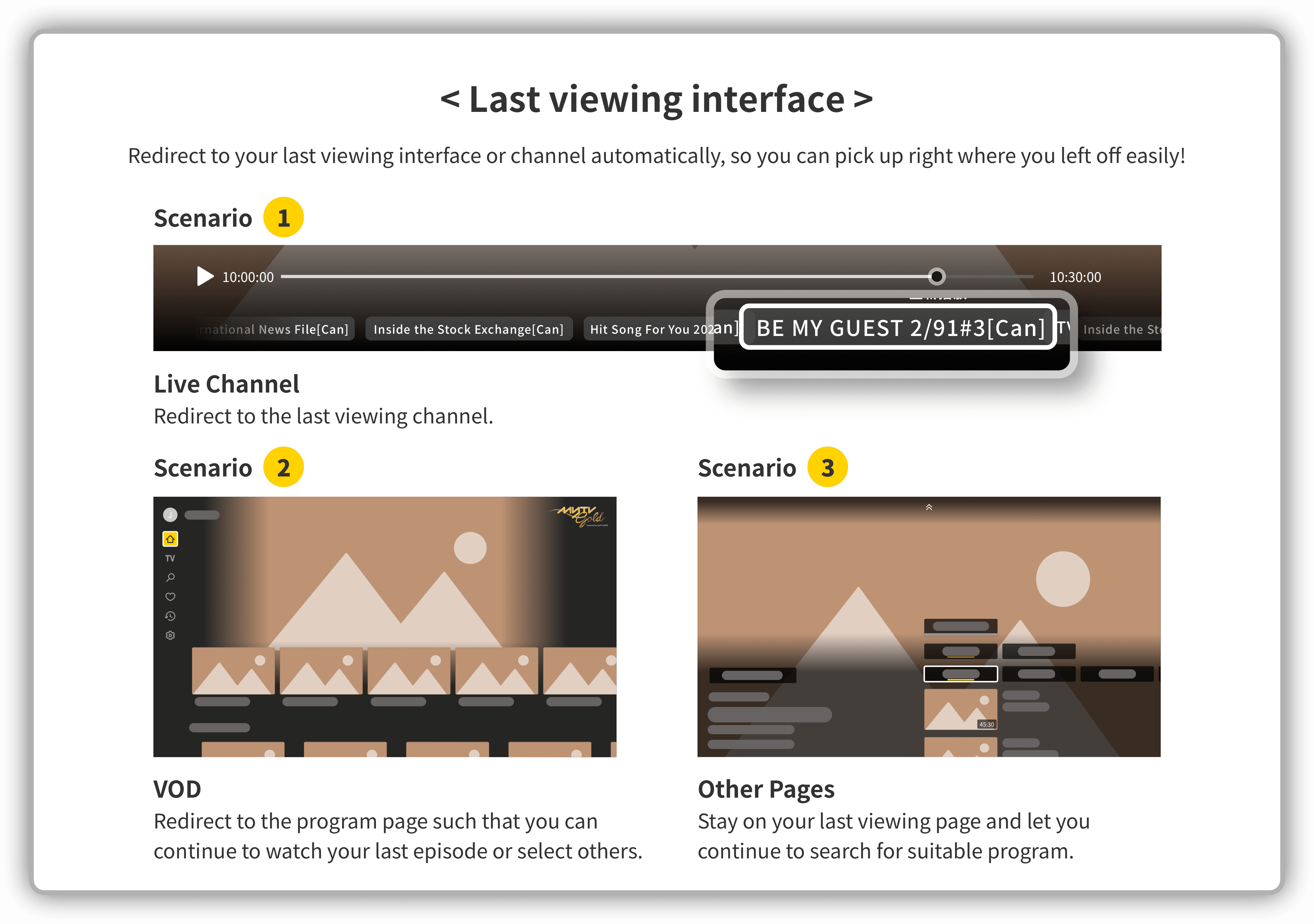
5. Scenario 1 - Live Channel – Redirect to the last viewing channel.
6. Scenario 2 - Other Pages – Stay on your last viewing page and let you continue to search for suitable program.
7. Scenario 3 - VOD – Redirect to the program page such that you can continue to watch your last episode or select others.
